

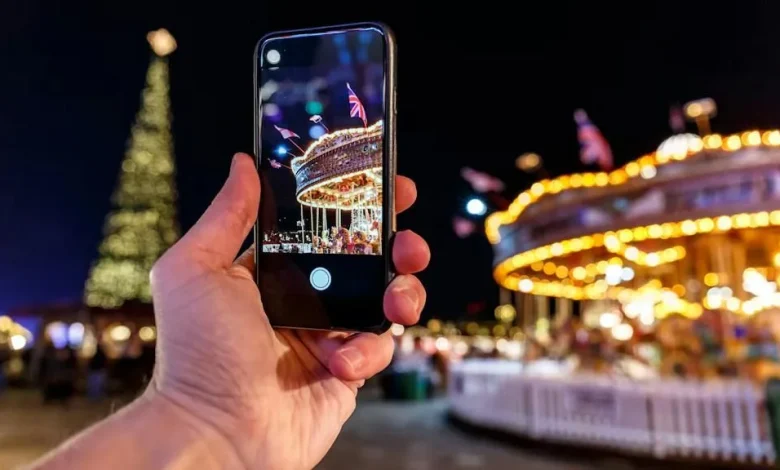
Modern smartphone cameras make it possible to capture successful night shots even without a tripod or special knowledge. This is especially relevant at Christmas markets, where the combination of fairy lights, shop windows and steaming mulled wine creates a beautiful but challenging scene to photograph.
In the dark, less light reaches the sensor, so the camera either lengthens the exposure time, which leads to motion blur, or boosts the signal, which introduces noticeable “noise”. The built-in night mode in most modern models partly compensates for this, but it still requires the user to operate it correctly.
On iPhone models starting from the 11 series, as well as on most Android smartphones, night mode switches on automatically in low light. It is important to hold the phone still until the countdown finishes, as this is when the final image is formed. On some models, special markers appear while shooting, which it is best to align to reduce camera shake.
If you do not have a tripod to hand, you can lean on a railing, the edge of a fountain or a high table, and also press your elbows tightly against your body. You can further reduce camera shake by using a 2–3 second timer or triggering the shutter remotely from a smartwatch.
To keep fairy lights from turning into shapeless white blobs, tap the screen in the main subject area and slightly lower the brightness with the slider. This way, the light elements retain a warm tone and the night shot remains naturally dark.
In such conditions, the flash usually only spoils the result: it makes faces look pale, creates harsh shadows and “kills” the atmosphere. It is better to turn people so they face a lit stall or lamp-post and use the warm, ambient light of the market.
For more creative shots, you can use a long exposure: the movement of a carousel or Ferris wheel forms beautiful light trails. On an iPhone this is done via Live Photo, then selecting the “Long Exposure” effect in the Photos app. On many Android devices a similar effect is available in Pro mode, where you set a shutter speed of 1–2 seconds, but the phone must remain absolutely still during this time.
Do not forget about lens cleanliness. Fingerprints are almost invisible in daylight but at night turn into a milky glow around every light source. A quick wipe with a dedicated cloth helps. In winter, when moving from the cold outdoors into a warm room, the lens fogs up – you need to wait until the smartphone adjusts to the new temperature and only then start shooting again.
Cold has a negative effect on the battery: the charge can suddenly drop, or the device may temporarily switch off. Manufacturers, including Apple, design their devices to operate in a range of roughly 0 to +35 °C. To avoid problems when shooting in frost, it is better to keep your phone in an inside jacket pocket and take it out only to capture a shot.
If the photo still turns out too dark, use the “Shadows” tool in the editor rather than overall brightness – this allows you to lighten dark areas without blowing out the highlights. To reduce noise in the darker parts of the frame, you can use the noise reduction slider in apps such as Adobe Lightroom, but too much filtering makes faces look unnaturally “waxy”.