

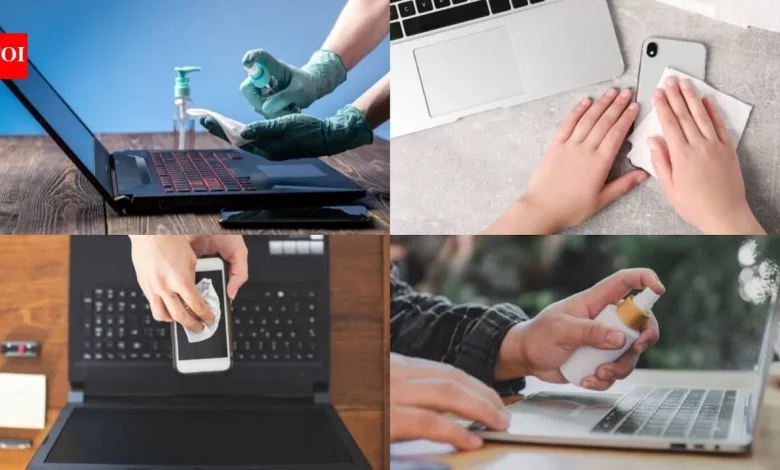
We touch our smartphones and laptops dozens of times a day, take them into the kitchen, to bed and into public places. Yet we clean these devices far less often than we wash our hands, even though microbes and dirt build up on their surfaces. Wiping them down regularly once a week helps reduce the risk of transferring microorganisms from your gadgets’ surfaces to your hands and face.
Throughout the day our hands come into contact with door handles, lift buttons, cash and handrails on public transport. After that we touch our phone and then, sooner or later, our face again. Even thorough handwashing loses its effect if you immediately pick up a dirty smartphone. A basic rule of thumb is to clean your devices at least once a week, and more often if you frequently use them in public places, share them with other people or spend time near someone who is ill.
For disinfection, alcohol wipes or a solution of isopropyl alcohol at a concentration of around 70% is usually sufficient — use it to wipe hard, non-porous surfaces such as screens, casings and keyboards. Before you start, it is worth checking the care instructions from your phone or laptop manufacturer. Products containing chlorine, harsh household cleaning liquids and abrasive materials are not recommended, as they can damage the screen’s protective coating. All you really need is a soft microfibre cloth and a small amount of liquid.
Before cleaning your phone, switch it off, unplug it from the charger and remove the case. Lightly dampen the wipe or cloth — excess liquid is dangerous for electronics. Then gently wipe the screen, back, edges and buttons, avoiding the speaker and microphone openings and the charging port. After cleaning, allow the phone’s surface to dry before switching it back on. The case should be cleaned separately: rigid plastic or silicone models can usually be washed with soap and water, as long as this does not conflict with the manufacturer’s recommendations.
Your laptop also needs regular care. Switch it off, disconnect it from the mains and gently wipe the keyboard, touchpad, palm rest area, lid and casing wherever your hands most often rest. Do not spray liquid directly onto the device, so it does not seep between the keys or into the ventilation openings. For the screen, use a soft cloth, slightly moistened with a disinfectant. At the same time, take the type of panel into account: some matte plastic screens are sensitive to alcohol-based solutions, so it is important to follow the manufacturer’s advice. After wiping, leave the surfaces for a short time so that the product can work and dry completely.
When caring for your gadgets, it helps to avoid common mistakes: do not use bleach, aerosol sprays, paper towels or overly wet wipes. Alcohol-based products should not be applied to leather or fabric cases. Ideally, avoid taking your phone into the bathroom, and wash your hands both before and after cleaning your devices. If you often hand your smartphone to children or friends, it is worth wiping it down afterwards. It is convenient to tie in your weekly cleaning with another regular task — for example, your Sunday clean — so you do not forget to keep up the habit.
This material is for general information only and is not a medical recommendation. Before using any disinfectants, you should follow the instructions provided by your phone or laptop manufacturer. Alcohol solutions are highly flammable, so they must be kept away from naked flames and stored out of reach of children. Electronic devices must never be fully immersed in liquid.