

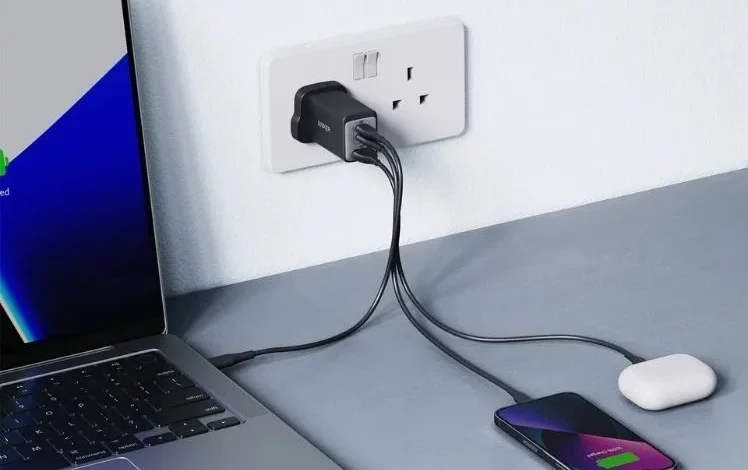
Slow smartphone charging can seriously complicate everyday tasks, especially when you need to top up the battery in a hurry. You can speed up the process without complex settings — it is enough to change a few phone-use habits and choose the right chargers and cables.
The fastest way to charge a phone is from a powerful mains adapter plugged directly into a wall socket, while the device is not in use. You can speed things up further by switching on Flight mode or turning the smartphone off completely, as this reduces internal power consumption.
Several common factors affect charging speed. Worn power bricks and damaged cables cannot deliver the required current. Dirt in the port (dust, lint) interferes with proper contact. Heavy load on the phone — a bright screen, demanding apps running — takes away part of the energy that should be going to the battery. In addition, when the device overheats, the smartphone automatically reduces charging speed to protect the battery.
There are a few simple steps that help your phone charge faster. The most effective is to switch the smartphone off completely while charging. If that is not possible, it is worth turning on Flight mode to disable mobile connectivity, Wi‑Fi and Bluetooth and reduce power consumption. It is not recommended to use the phone actively, play games or keep the screen on for long periods while the device is plugged in.
Experts advise connecting the charger directly to a wall socket rather than to a laptop or car USB port, as such ports usually provide significantly lower power. It is also better to opt for a wired connection instead of wireless pads: inductive charging is convenient, but some of the energy is lost as heat, which slows the process down.
Another important point is using a modern fast charger with sufficient power and a high-quality compatible cable. Older low-power adapters are not designed for the high-capacity batteries of new smartphones. Cheap, uncertified cables often have thin conductors that limit current and can heat up. It is recommended to choose robust cables rated for high loads and to make sure they meet the requirements of the specific phone model.
To avoid overheating, it is advisable to remove bulky cases while charging and not to leave the smartphone in a hot place. It is also useful to clean the port from time to time, carefully removing dust so that the plug fits snugly against the contacts.
Charging speed also depends on the power source. Wall sockets provide the highest power, whereas standard USB ports on laptops or in cars are often limited to just a few watts. Wireless chargers are generally slower still because of energy losses and additional heat.
Modern smartphones support various fast-charging standards. For example, USB Power Delivery (USB-PD) is a universal protocol that allows higher voltage to be delivered safely between a charger and a compatible gadget. Other solutions, such as Quick Charge, work on a similar principle, negotiating power parameters with the phone’s processor. Such systems prevent excessive current being supplied if the device does not support it.
For fast charging to work at full capacity, the smartphone, adapter and cable must support the same standard. If the protocols do not match, the charger automatically switches to a basic, slower mode to avoid damaging the electronics.
You can assess the actual charging speed using dedicated apps that show the incoming current, or with separate USB testers connected between the adapter and the cable. If the readings are significantly lower than the charger’s rated power, the problem may lie in the cable, adapter or power source.
Overall, to make your phone charge faster, it is worth combining several approaches: use a powerful mains adapter and a quality cable, avoid unnecessary load on the smartphone while it is charging, and keep an eye on the device’s temperature. This will help save time and keep the battery operating safely.