

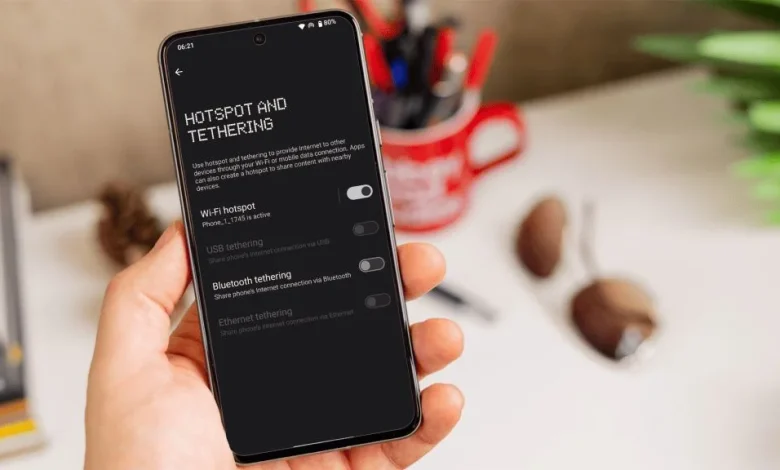
An old Android smartphone that has been lying around unused for ages can be turned into a simple home Wi‑Fi booster, improving your network coverage without extra spending on a mesh system or a separate repeater.
The idea is that the phone connects to your home wireless network and then re-broadcasts this signal as its own hotspot. As a result, the smartphone works as a basic Wi‑Fi repeater and helps to “stretch” the internet into rooms where the router’s signal is weaker.
Setting it up is fairly straightforward. First, connect the old phone to your home Wi‑Fi. Then open the phone’s settings and find the section called “Mobile hotspot”, “Personal hotspot” or “Hotspot and tethering” — these options are usually located in the “Network” or “Internet” menu. Switch this feature on and set a name and password for the new network. Once activated, the phone will start broadcasting a separate Wi‑Fi network that other devices can connect to.
It is important to place the smartphone correctly. Ideally, put it somewhere between the main router and the area with a weak signal, so that the phone receives a sufficiently strong Wi‑Fi signal and can pass it on reliably. It is also worth keeping the device permanently plugged into a charger, as running a hotspot quickly drains the battery, especially in older models.
You should also bear in mind the limitations of this approach. A phone used as a booster will not increase your internet speed and cannot match a full-fledged mesh system or a professional Wi‑Fi repeater in terms of stability and performance. However, it can help eliminate “dead zones” and provide an acceptable signal in a guest room, basement, garage or a home office in the garden.
If you were planning to throw away your old Android smartphone or take it for recycling, it is worth first trying to give it a second life as an auxiliary element of your home network.