

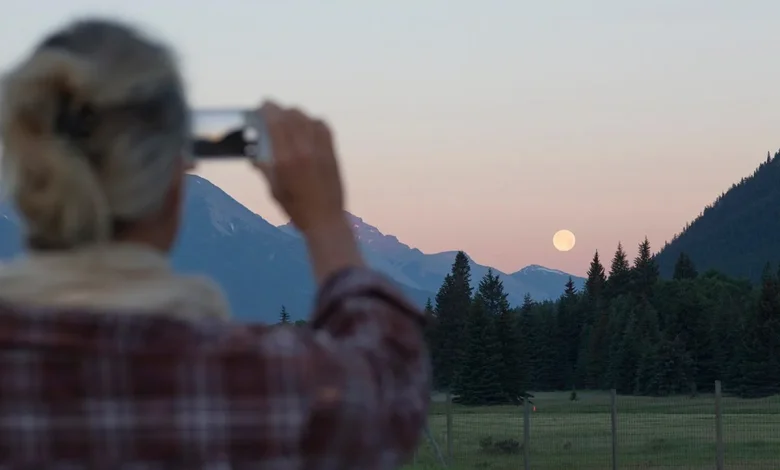
The full Moon is often a spectacular sight to the naked eye, but in smartphone photos it tends to turn into a bright white blob with no detail. The autumn full Moon, known as the Hunter’s Moon, offers particularly favourable conditions for capturing a striking image even with a phone camera.
The Hunter’s Moon is the full Moon in October, historically valued by hunters because its bright light allowed them to continue hunting after sunset. A full Moon occurs when the Moon is opposite the Sun and its visible side is fully illuminated. In autumn the Sun sits lower in the sky, so autumn full Moons climb higher, and around the equinox the Moon rises on several evenings in a row shortly after sunset, with almost no gap between moonrises. This gives prolonged twilight and a low angle of ascent, which is very convenient for photography.
When the Hunter’s Moon rises in the east-south-east at dusk, it sits low above the horizon. This gives two important advantages for the photographer. Firstly, the light passes through a thicker layer of atmosphere, shorter blue wavelengths are scattered, and the disc takes on a rich reddish-golden hue. Secondly, the sky still retains the deep blue of twilight, so you can beautifully combine the golden Moon with silhouettes of trees, hills or city buildings.
To make the most of these conditions, it is worth planning the location and timing of your shoot in advance. Head to your chosen spot around sunset or within 30–60 minutes afterwards, when the Moon is just appearing above the horizon. Choose a vantage point with an open view to the east–south-east and, if necessary, use an astronomy app to find out exactly where the Moon will appear. Including buildings, trees or the horizon line in the frame adds a sense of scale and stops the Moon looking like a tiny dot.
For better results, it is advisable not to rely solely on your smartphone camera’s automatic settings. Switch on manual or ‘Pro’ mode, if available, so you can adjust the parameters yourself. Make sure the phone is stable: mount it on a small tripod or brace it against a wall, rucksack or other support. Try not to touch the screen when releasing the shutter — use the volume buttons on wired earphones as a shutter button, if your phone supports this, or set a 2-second timer to avoid camera shake.
To stop the Moon turning into a white smudge, you need to set focus and brightness correctly. Tap on the Moon on the screen and hold your finger there for a few seconds to lock focus and exposure. Then find the brightness slider (usually marked with a Sun icon) and first reduce it significantly, then slowly raise it until the sky becomes a deep twilight blue and the Moon a rich golden colour rather than dazzling white. This approach helps bring out the darker areas on the disc — the lava maria.
In ‘Pro’ mode you can manually lower the ISO (for example, to 50–100) and slightly shorten the exposure time to make the image sharper. It is important not to overdo the digital zoom: try not to go beyond the optical zoom range (typically 3–5x). Excessive digital zoom quickly turns the Moon into a blocky, pixelated blob. It is better to take the shot with moderate magnification and then crop it later in an image editor, such as Photoshop or the free GIMP.
Do not use the flash — it only illuminates objects close to the camera and will have no effect on something as distant as the Moon. It is recommended to shoot in the standard 4:3 aspect ratio to capture as much detail as possible. By following these simple tips, you can photograph the Hunter’s Moon on your smartphone with clearly visible surface detail and attractive colour, rather than just a bright spot in a dark sky.