

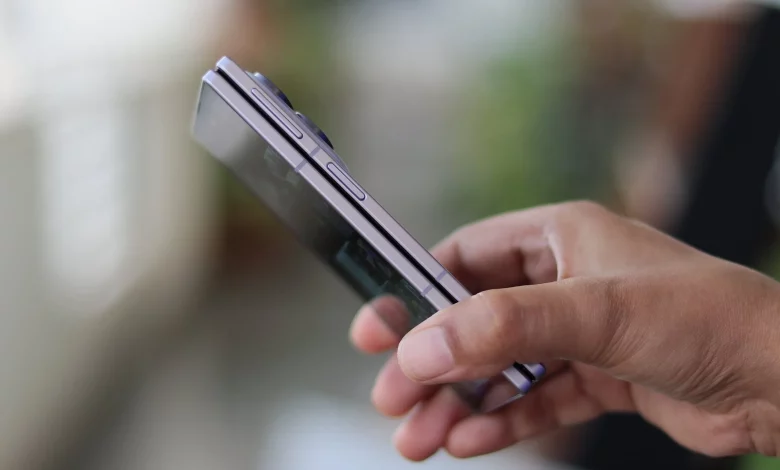
The foldable Samsung Galaxy Z Fold 8, Galaxy Z Fold 8 Ultra and Galaxy Z Flip 8 smartphones are equipped not with an in-display sensor but with a side-mounted fingerprint scanner integrated into the power key. This approach is due to the fact that the device has two screens and two form factors, so the manufacturer has opted for a universal sensor placement.
Unlike classic flat smartphones with under-display sensors, these models offer separate operating modes for the side scanner. They affect both the unlocking speed and the risk of accidental activation.
By default, the Galaxy Z Fold 8, Fold 8 Ultra and Galaxy Z Flip 8 use a mode where you need to touch the key and press it at the same time to unlock the phone. This is a two-step action: a simple touch of the sensor is not enough, you also have to press the button to confirm your intention to unlock the device. This option is slightly slower, but it virtually eliminates accidental unlocks in a pocket or bag.
In the settings you can change how the scanner behaves and make it “always on” to the touch, similar to how a touchscreen works. To do this, open the menu:
- “Settings” → “Lock screen and AOD”;
- “Lock screen and biometrics” → “Fingerprints”;
- enable the “Fingerprint always on” option for the external (cover) and/or internal (main) screens.
The user can specify separately whether a simple touch of the side sensor should unlock the smartphone only when folded (via the external display), only when unfolded, or in both cases.
Each mode has its pros and cons. The standard press-to-unlock option slows unlocking down a little and can sometimes be inconvenient, as the sensor is located on the side and is not always easy to reach from every angle. At the same time, it improves security and almost completely eliminates accidental activations.
The “always on” mode noticeably speeds up unlocking: you only need to touch the sensor, with no additional press required. However, in this case there is a higher risk that the smartphone will unlock accidentally if you touch the frame in the “right” spot without realising it.
The author recommends that new foldable smartphone users try both options and choose the one that best matches their habits and their preferred balance between quick access and security.
A video overview of the fingerprint scanner settings on the Galaxy Z Fold 8 is available at:
https://youtube.com/watch?v=dUCj4gfwWU0%3Fsi%3DyWxru6U2BHmJqPON