

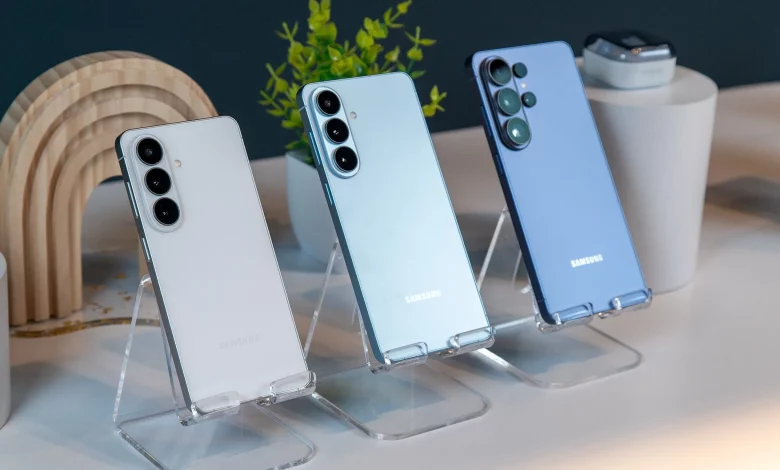
The Samsung Galaxy S26 series smartphones have received a number of new features that enhance data protection and improve how you handle calls, the camera and artificial intelligence. Some of them are available only on the Galaxy S26 Ultra, others across all models in the range.
One of the main hardware innovations for the Galaxy S26 Ultra is Privacy Display. Thanks to a special pixel structure, the screen remains readable for the owner but makes it harder to view from a side angle. You can enable the feature in the Settings → Display → Privacy Display menu, where additional options are also available: activation only for specific apps, when entering a PIN or password, as well as for hiding pop-up notifications. There is a Maximum privacy display mode, which restricts the viewing angle even further, but also affects how you yourself perceive the screen.
Another innovation is Direct Voicemail. This is a built-in voicemail system that allows you to manage incoming calls more flexibly: send them to voicemail immediately or after a set time, and also receive a text transcription of messages. The settings are available in the Phone app via the three-dot menu: Settings → Direct voicemail. Messages are stored on the device, and if necessary you can use the Audio Eraser feature to clean the sound of background noise.
To combat spam and unknown numbers, there is Call Screening. Using AI, the smartphone answers the call instead of the user, showing a live transcription of the conversation on the screen. In Phone → Settings → Call screening you can enable automatic screening for suspicious calls or all unknown numbers, and also combine this with Caller ID and spam protection. Additionally, Text call and Live translate modes are available, where the user can reply in text and the system voices it to the caller.
The Galaxy S26 camera now offers easier access to the 24 MP resolution mode. Previously it was only available in the Expert RAW app, but now it can be activated in the standard camera via the Camera Assistant add-on (downloaded from Galaxy Store). After installation, you need to open Camera, go to quick settings, select Camera Assistant → Advanced resolution options and enable 24 MP resolution and the option to save this mode. This format offers higher detail than 12 MP, but is not as “heavy” as 50 or 200 MP. If required, you can enable Upscale digital zoom to maintain resolution when using digital zoom.
A separate set of features is linked to Google Gemini. The Gemini screen automation feature allows the assistant to perform actions independently in supported apps — for example, ordering a taxi or food. You can enable it in the Gemini app via the Google account icon: Settings → Screen automation. The list of compatible apps is also shown here, including, in particular, Uber, Lyft, Starbucks, McDonald’s, Uber Eats, Doordash. The assistant opens the required app, moves between screens, adds items to the basket and stops at the payment stage so that the user can confirm the order themselves.
To make AI features work more accurately, Samsung uses a system called Personal Data Intelligence. It analyses on-device data and usage scenarios to improve suggestions in services such as Now Brief and Now Nudge. On the Galaxy S26, the list of compatible apps has been expanded: among them are Now Nudge, Finder, Phone, Contacts, Reminders, Quick Share, Notifications, Bixby. You can enable Personal Data Intelligence in Settings → Security and privacy → More privacy settings → Personal data intelligence, where you can also manage personal data (name, phone number, email, passport details and so on) and permissions for individual apps.
According to the company, such data is processed locally thanks to the Personal Data Engine (PDE) and the Knox Enhanced Encrypted Protection (KEEP) system, which is intended to improve privacy when working with photos, contacts and other sensitive information.