

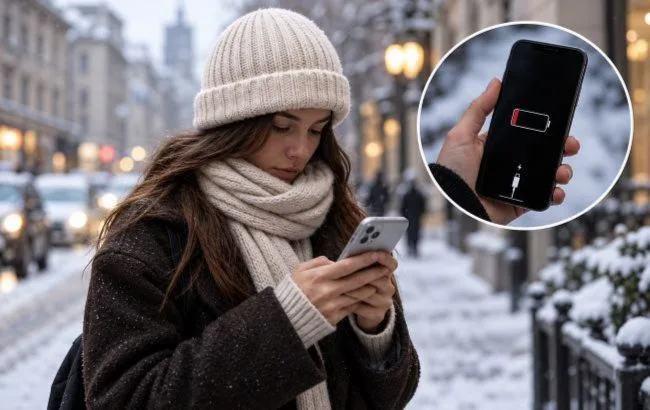
As the cold weather sets in, many users notice that their smartphone starts to discharge more quickly or suddenly switches off, even when the indicator still shows 20–30% charge. This is linked to how batteries operate at low temperatures and is not necessarily a sign of a fault.
Most modern phones are equipped with lithium-ion batteries. When the temperature drops, the chemical processes inside the battery slow down, reducing its ability to deliver power. As a result, the smartphone may run more slowly, lose charge quickly or unexpectedly switch off after being out in the cold.
Apple notes that using an iPhone in very low temperatures can temporarily shorten its battery life. Once the device is back in warmer conditions, performance generally returns to normal, so a sudden shutdown in the cold does not always mean the battery is damaged.
According to Apple, the optimal operating temperature range for an iPhone is from 0 to 35°C. Samsung recommends similar limits for Galaxy smartphones. This does not mean the phone will definitely stop working as soon as it reaches -1°C, but its behaviour will depend on how long it has been in the cold, the condition of the battery and the load on the device. Owners of older models should be especially careful, as worn batteries cope less well with low temperatures.
To reduce the risk of your smartphone suddenly switching off in the cold, experts advise following a few simple rules. First of all, keep your phone in an inner pocket, closer to your body, rather than in an outer jacket pocket or a rucksack, where it cools down more. You should not leave your smartphone in a cold car for long periods, even when it is switched off, as prolonged exposure to very low temperatures can damage the battery.
It is helpful to switch on a power-saving mode: on an iPhone this is Low Power Mode, on a Samsung Galaxy — Power Saving Mode. These settings limit background activity and reduce power consumption. It is also worth lowering the screen brightness, as the display is a major drain on the battery. In severe frost, it is better not to hold the phone in your hand for too long: if you need to answer a call, it is more convenient to use headphones and leave the device in your pocket.
After coming back indoors, one of the most common mistakes is trying to warm the smartphone up quickly. You should not put it on a radiator, hold it up to a heater or warm it with a hairdryer. A sudden change in temperature can cause condensation to form inside, and excessive heat can damage the electronics. It is safer to leave the phone in a dry room and let it gradually warm up to room temperature.
It is also not recommended to put a very cold smartphone on charge straight away. Apple and Samsung set temperature limits for the charging process, and if the battery is too cold, the system may temporarily block charging. So before plugging it in, you should wait until the device has warmed up naturally.
If the phone only switches off in the cold but works reliably indoors, the cause is most likely the low temperature. However, if power issues persist even in the warm, it is worth checking the condition of the battery. On an iPhone this can be done in the settings under the “Battery” section, where the battery’s maximum capacity is shown. Samsung Galaxy users can run a diagnostic via the Samsung Members app.
Signs of a worn battery include frequent unexpected shutdowns, a noticeable reduction in the time the phone runs on a single charge, and system warnings about battery condition. In such cases, it makes sense to contact an authorised service centre for diagnostics and a possible battery replacement.
The key rule in cold weather is not to leave your smartphone out in the frost for long periods, to avoid rapid heating when you come back indoors, and to charge the device only once it has reached a safe temperature.